


WeatherBug: Weather Forecast
4.6413.83K Reviews
App Specs
- Version
- 6.3.1-1
- Updated On
- License
- Free
- Downloads
- 10,000,000+
- Developer
- WeatherBug
- Categories
- Weather
- Platform
- Android, iOS
Screenshots
 Analysis by AppCompare
If you’re anything like me, checking the weather is a daily ritual. Whether it’s planning a weekend getaway or just figuring out what to wear, having a reliable weather app is super handy. Enter WeatherBug: Weather Forecast—an app that promises to be your trusty weather sidekick. I've been playing around with it, and here’s the lowdown.
The Interface: Sleek and User-Friendly
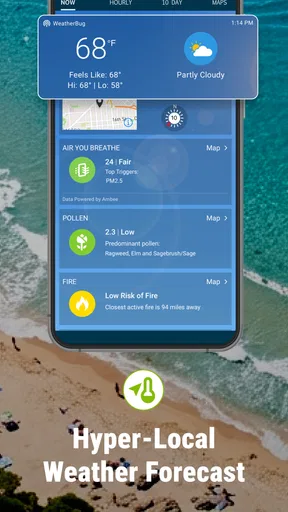
The first thing you notice when you open WeatherBug: Weather Forecast is its sleek design. The app greets you with a crisp, clean interface that's easy on the eyes. Navigating through the app is a breeze. Everything is laid out logically, so you’re not fumbling around trying to find what you need. I appreciate how the current weather conditions are front and center, with additional details just a tap away.
Features Galore
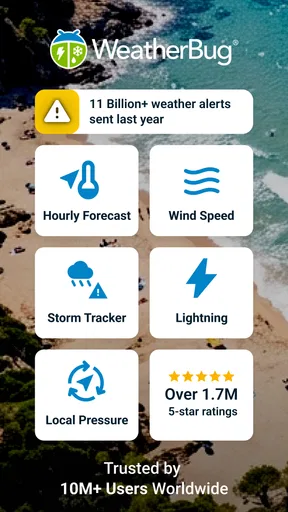
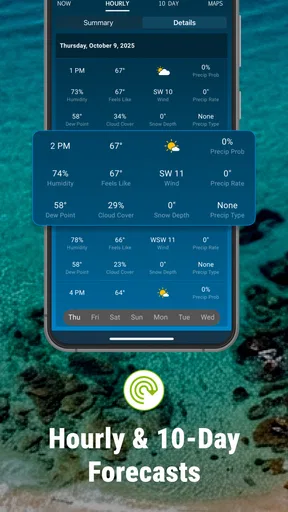
Now, let’s dive into the features. WeatherBug boasts a plethora of options to keep you informed. You get real-time weather conditions, and I mean real-time. The app updates like clockwork, ensuring you’re always in the loop. The 10-day forecast is a lifesaver for planning ahead, and the hourly forecast is perfect for those days when the weather can’t make up its mind.
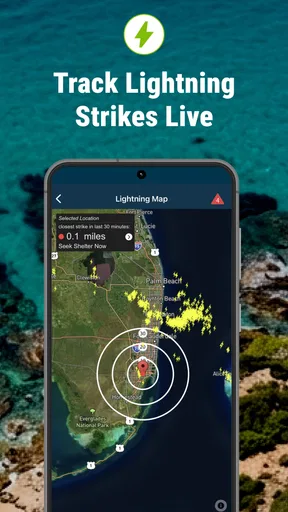
One feature that stood out to me is the lightning alerts. If you live in an area prone to storms, this can be a game-changer. It’s like having a personal weather station in your pocket, warning you of lightning strikes up to 10 miles away.
The Little Extras
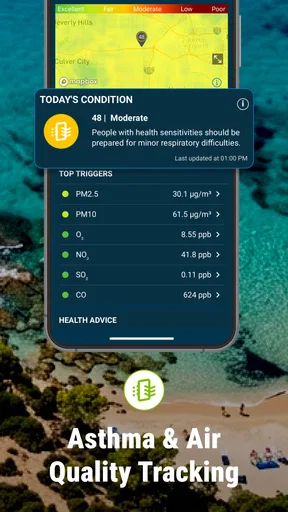
But wait, there’s more! I was pleasantly surprised to find additional features like air quality updates and pollen counts. For anyone with allergies, this is golden. It’s like your personal allergy assistant, helping you avoid sneezing fits and itchy eyes.
Oh, and did I mention the traffic conditions? Yep, WeatherBug has you covered there too. You get a nice overview of traffic in your area, which is super helpful for planning your commute.
Performance and Usability
In terms of performance, the app runs smoothly. I haven’t encountered any lags or crashes, which is always a plus. It loads quickly, and the transition between different sections is seamless. The app doesn’t hog your phone’s resources either, so no worries about it draining your battery.
Worth Reading Before You Choose

EA SPORTS FC Mobile 26 Is a Bigger Football Game, but It Takes Time

Flipboard Shows What News Apps Must Do Beyond the Feed

Switching to Android Auto Means Rethinking Your Driving Routine

Google Calendar Makes a Crowded Week Easier to Manage

Ludo King Makes the Most of the Minutes Between Plans

Baby Panda World Brings Quick Play to Modern Phones, but Its Game Library Feels Busy
Overall, WeatherBug: Weather Forecast is a solid choice for anyone looking to stay on top of the weather. It’s packed with features, easy to use, and pretty reliable. Whether you’re a weather enthusiast or just need to know if you should carry an umbrella, this app has got your back. Give it a whirl and see if it fits your needs!
Pros
- Accurate hyper-local forecasts.
- Real-time lightning alerts.
- Customizable weather widgets.
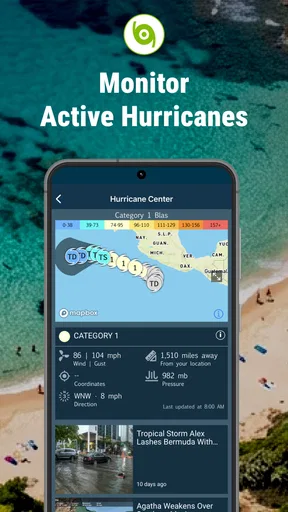
- Interactive weather maps.
- Air quality updates included.
Cons
- Frequent ad interruptions.
- Consumes significant battery power.
- Occasional location inaccuracies.
- Limited offline functionality.
- Premium features behind paywall.
FAQs for WeatherBug: Weather Forecast
What features does WeatherBug offer for weather tracking?
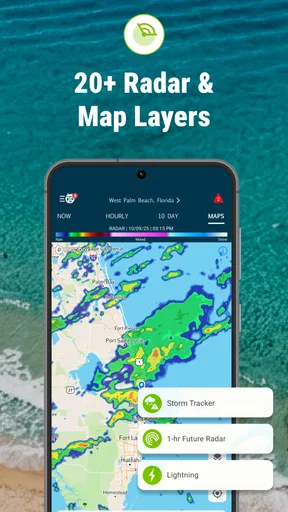
WeatherBug provides real-time weather data, including temperature, humidity, and wind speed. It offers forecasts, radar maps, and severe weather alerts. The app also includes a lightning tracker, pollen count information, and a lifestyle forecast that advises on activities like running or walking pets based on current conditions.
How accurate is WeatherBug's weather forecasting?
WeatherBug is known for its accuracy, leveraging data from a network of weather stations and satellite imagery. The app updates frequently to provide precise forecasts, and its use of real-time data ensures that users receive the most current weather information available.
Is WeatherBug free to use, or does it require a subscription?
WeatherBug is free to download and use, offering a comprehensive set of features at no cost. However, it also provides a premium version that removes ads and offers additional features like enhanced radar and advanced alert settings, available through a subscription.
Can I customize the alerts and notifications in WeatherBug?
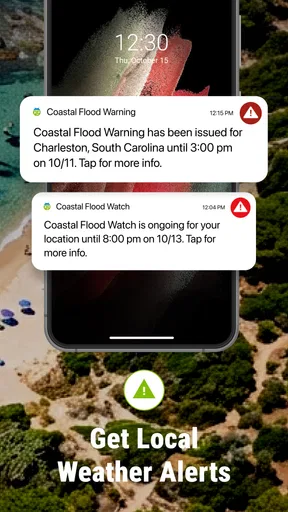
Yes, WeatherBug allows for extensive customization of alerts and notifications. Users can set preferences for specific weather conditions, such as severe weather alerts, lightning proximity, or daily forecasts, ensuring they receive only the information that is most relevant to them.
Does WeatherBug support multiple locations for weather tracking?
WeatherBug allows users to track weather for multiple locations, making it convenient for those who travel or want to monitor weather conditions for family members in different areas. Users can easily switch between locations to view current conditions and forecasts.


